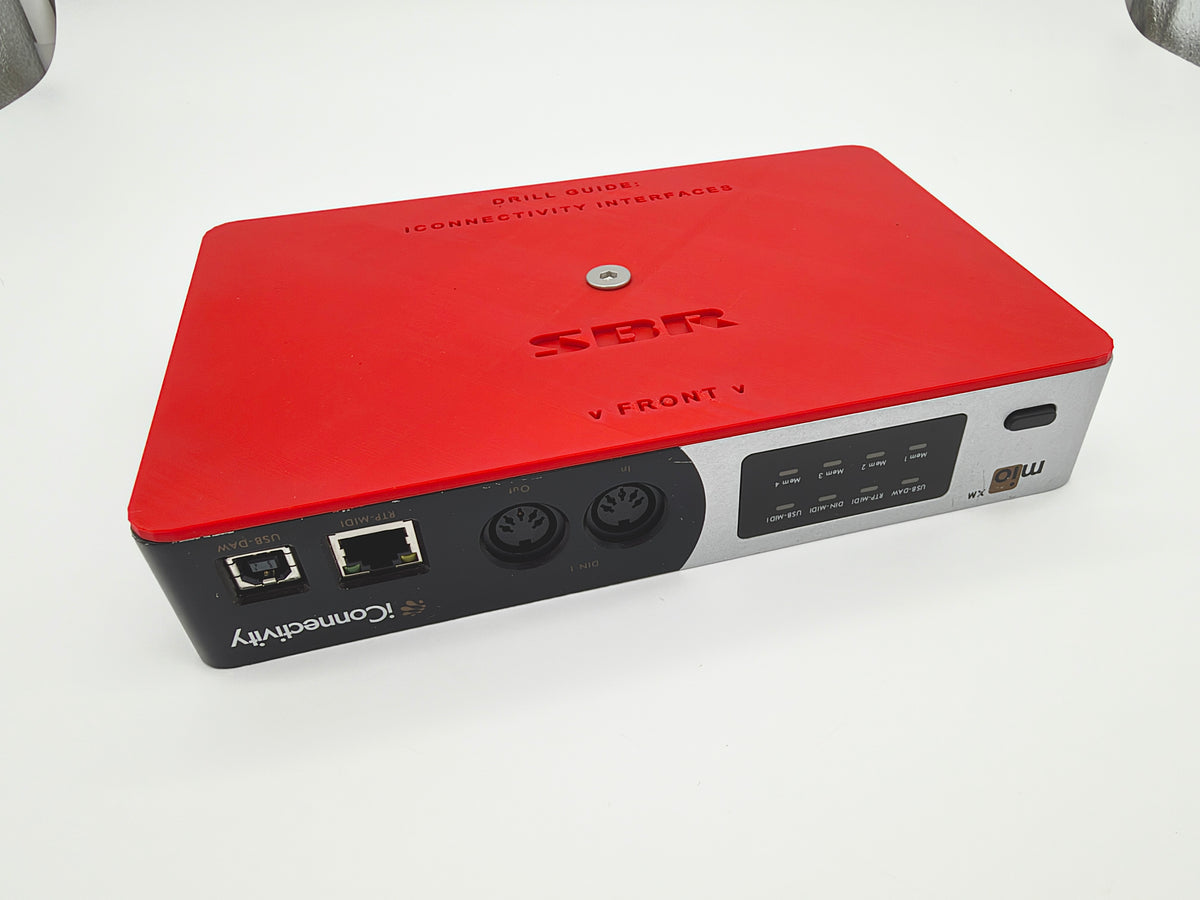
These are drilling templates custom made to match specific pieces of gear that is commonly used in playback/tune/etc type rig builds! Some rack shelves, racks, and mounting plates do exists that have pre-drilled holes for some of these units, but sometimes you may need to place them in a different spot, or mount them to a different shelf or rack, and these drill guides make it easy to do so! Mounting hardware included!
Choose from 4 different drill guides made for mounting these units (more to come!):
Vox Power NEVO+600 series modular power supply unit
Universal Audio Apollo Solo / Arrow
Universal Audio Apollo Twin (all models)
iConnectivity half-rack unit interfaces (MioXm / Audio4c / PlayAudio12)
TO INSTALL:
Place the guide where you want to mount it (they match the footprint of the unit, so you can easily see how much space it will take up).
We suggest using painter's tape to hold the guide in place securely, so it won't move when holes are marked.
CAREFULLY mark your holes with a punch-press (we like the spring loaded kind). You want to be as precise as possible here, so your drilled holes will line up perfectly with the mounting holes on the unit!
Remove the guide, and drill your holes with whatever drill bit size is needed (you can easily size the bit by putting it through the holes on the drill guide, and we recommend going just one size up from that so you give yourself a little bit of wiggle-room.
Drill away! We always place the shelf/plate up on a couple 2x4 wood blocks, and try to drill into them, so we don'y put holes in our table/surface.
Place your unit on the shelf/plate, and add your screws (which are provided with these drill guides).
Enjoy a super securely mounted piece of gear that won't go anywhere in your rig!